

Hello, friends today we are showing with you how to Bypass Google FRP Honor View 10, there is a couple of methods to Bypass Honor BKL-L09 FRP but on this page, we share with you the latest and easiest one to unlock FRP. if your Huawei honor view 10 stuck on Google Account verification page and don’t know how to Bypass Honor BKL-L09 FRP
You can follow this method on any Huawei Honor View 10, Only you need a working Wifi connection and download some files for your Huawei Honor View 10. All files and step by step guide on below, Please follow all steps very carefully. So read and try all method very carefully.
Before you Started
Warning:- This method is only for the device owner.
Note:- This method is successfully applied to Honor View 10. You can try and follow this method with your any Bypass Honor BKL-L09 FRP enable devices. We are not responsible for any damage on your Device. before you try this method backup your Full data.
In the last security Patch update, Huawei Honor has updated all the security patch level to a new level, Huawei Honor has fixed all the old method that helps you to Bypass Honor BKL-L09 FRP, Now Huawei has fixed all the old security patch level. But we try the different and different method to Bypass Google Account Honor View 10 finally we have found a successful method to Bypass Google FRP Honor View 10,
Download Huawei Honor View 10 FRP Files
-You need a working computer or a different mobile and a working network connection.
-Before you start this process you need to download “1” application.
-Visit on Google then search – “Bypass Google Account Gadgetsdr“.
-Then visit the very first “website” from that list (gadgetsdr.com).
-After that, download the “Quick Shortcut Maker.apk”.
-Once downloading finished, open the download manager.
-Then copy the downloaded apk file and then copy the apk file to your “MicroSD” card.
-After that, insert the “MicroSD” card to your Huawei Honor BKL-L09.
-Then try to Bypass Google FRP Honor View 10.
-Go here to download FRP Files:-here
First Activate Talkback Option
-First switch on your Huawei Honor View 10.
-After that, tap on next and Connect your Huawei Honor devices to any working Wifi Connection.
-Then, Restart your device.
-After the power on your device.
-Then tap on “Next” button.
-After that, long tap with your “2” fingers on your home screen for 1-3 minutes, until you see a screen of talkback.

-After that, you have “talkback Tutorial” on your Huawei device Sereen.
-Now draw “L” on your honor devices screen to bring “Global Context Menu”.
-When “Global Context Menu” Pops up show on your device screen – then double tap on “Talkback Settings”.

-Now you need to use “Two fingers” same time to Pull down and Pull Up.
-After that, Go down using two fingers same time and then select “Talkback Tutorial”.
-Now there you will see “Turn Talkback off”, just tap on “Turn Talkback off”, otherwise press and hold [Vol up & Vol down] for 10-25 sec then you will see talkback off.

-After that, you will be redirected to “Talkback Settings”.
-From “talkback settings” screen then scroll down, then tap on “Help & Feedback”.

-Then type “Voice” on top search bar then search it.
-From the result, Select the “Get Started with Voice Access” option.
-Now you will able to see a “YouTube Video” on your Screen.
-Then tap on “YouTube Video” wait a few seconds until you see the extra sharing options on your devices.
-Then, tap on the “Youtube video title”, this will lead you to the YouTube application.
Bypass FRP Huawei Honor View 10 (BKL-L09)
-Now you have access to youtube application,
-Congress, you have done 50% to Bypass Honor BKL-L09 FRP, only you have few more steps to succssfully Bypass Google FRP Honor View 10 easily. let’s do it.
Note: IF you unable to select the “Youtube Title” then you can tap on “Clock” icon beside the youtube video title.
-After that, the “Youtube” application will be open.
-After that, you will get a “share” icon.

-Tap on the “Share” icon.
-After that, again a popup will be open.
-Then tap on “Gmail” icon from the list.
-After that, click on the “Skip” button from the below left of your screen.
-After that, tap on “Add an Email Address”.
-Now, tap on “Yahoo/Outlook” mail account (Choose any one).
-Now, log in with a “Yahoo” mail. (Or you can try to login with “Outlook”) mail ID.

-After you log in with your mail ID, then tap on “take me to GMAIL”.
-Then tap on “3” dots from the top right corner.
-After that, tap on the “Manage Accounts”.
-Then click on the “Accounts”.
-Congress, now you will access device settings.

Bypass Google Account Huawei Honor BKL-L09
-Now tap on the “Storage” icon.
-Congress, you have done 70% succssfullyto Bypass Honor BKL-L09 FRP, only you have few more steps to succssfully Bypass Google FRP Honor View 10 easily. let’s do it.
-Then tap on “Storage Cleaner”.
-After that, tap on the “MicroSD” icon from the top right corner.
-Then tap and open the “SD card”.

-After that, find and install the “Quick Shortcut Maker.apk”.
-Once installation finished, tap on the “Open” button.
-After that, tap on “Input keyword to filter” (Search) button.
-Now, Search there “Huawei home”.
-After the result will come.
-Then tap on the very first result from the list “Huawei Home”.
-Then a list will open.
-Select the very first “Huawei Home” from the list.
-After that, tap on “Try”.

-Then we will back to “Not signed in” screen.
-Then tap on the “Back” key.
-Boom, then you will access your device “Home Screen”.
-After that, go to settings.
-Then go down and tap on “System”.
-After that, Tap on “Reset”.
-Then tap on “Factory Reset data”.
-Now tap on “Reset Phone”.
-Done,
-Wait for Power On your device.
-Setup the initial setup to your device.
–Done.
Video Guide:-
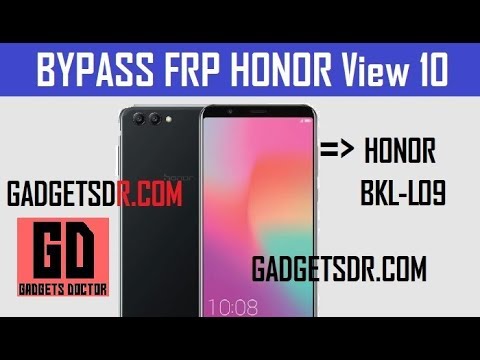
-Congratulations, you have done successfully Bypass Honor BKL-L09 FRP, any complicated process in this step to successfully Bypass Google FRP Honor View 10 then comment us below. with your problem.
Subscribe Our Channel For More Interesting Videos Daily (On Youtube):-SUBSCRIBE
Thanks for visiting us, Comment below if you face any problem With Bypass Google FRP Huawei Honor View 10 | Bypass Honor BKL-L09 FRP, we will try to solve your problem as soon as possible. you can check other some tutorial here to help you.

